


Idle Digging: Build and Grow Your Mining Empire
Overview
Idle Digging is a simulation-based idle game developed by No Power-Up Studio, known for crafting casual and accessible mobile experiences like Idle Aqua Park. Designed for players seeking light, repetitive gameplay with long-term progression, the game centers around managing a mining operation where players dig for gold, construct buildings, and expand their territory across multiple themed locations. The core objective is to become the wealthiest mine owner by efficiently balancing income, upgrades, and resource allocation.
The game supports short, on-the-go sessions, making it ideal for casual gamers or those looking for a relaxing distraction during breaks. Real-world usage scenarios include quick daily play sessions, passive income tracking, and strategic planning for upgrades. The developer did not provide additional system requirements beyond the operating systems listed.
The game is available on both Windows and Mac platforms, offering cross-platform accessibility for desktop users.
Key Features & Capabilities
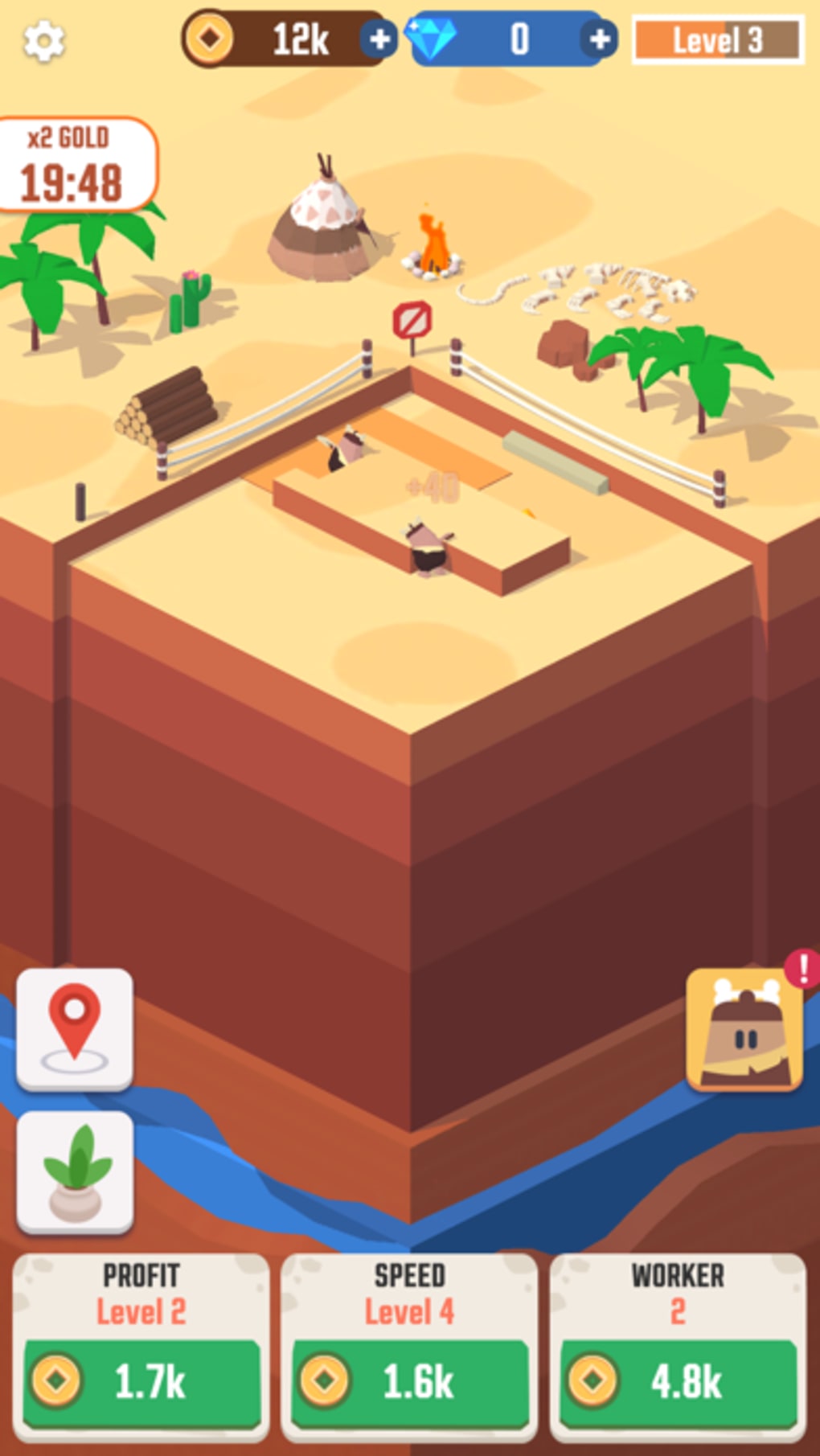
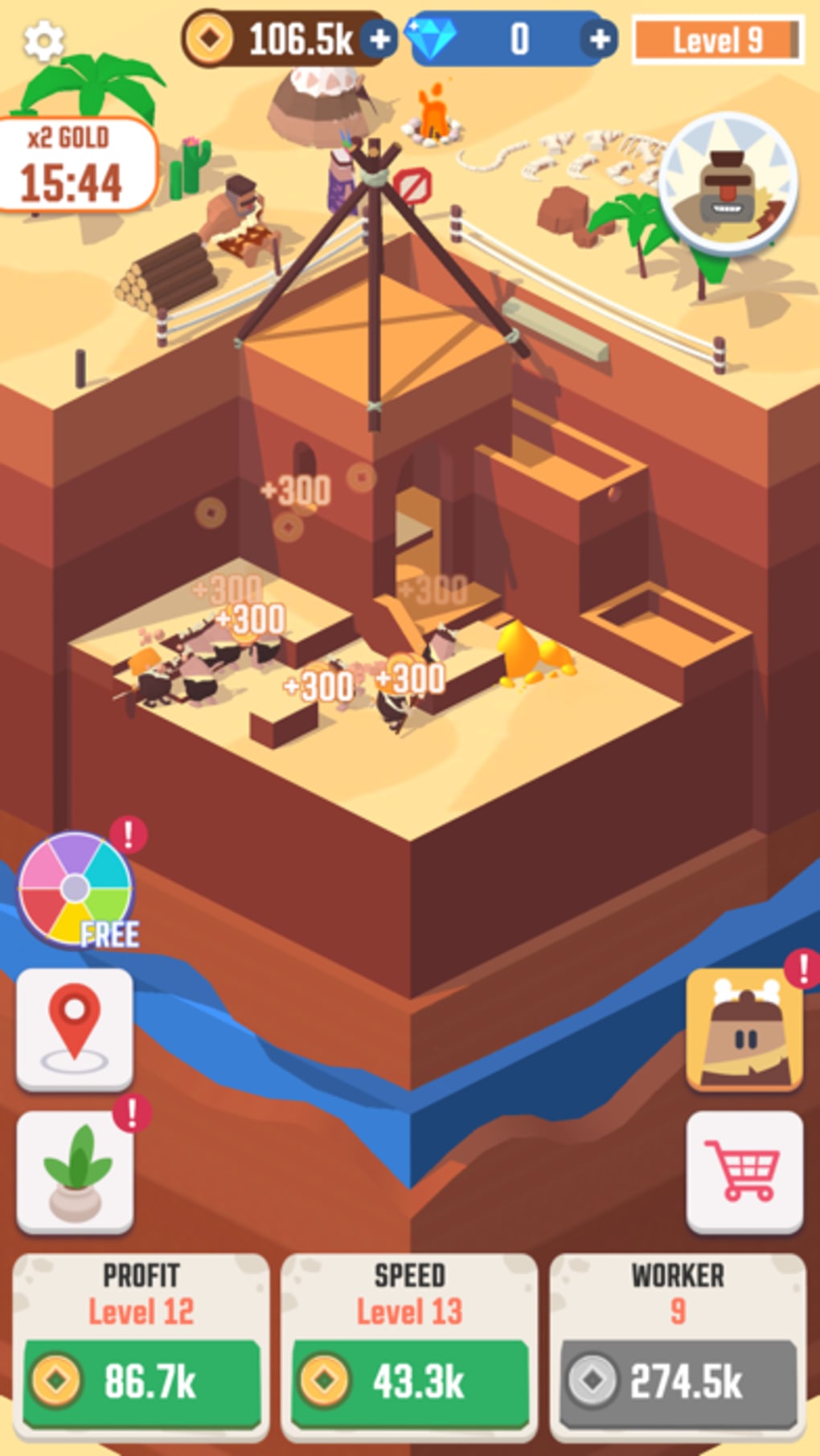
- Idle Mining Mechanics – Workers automatically dig for gold while the player is away, enabling passive income generation. Players can monitor progress through real-time statistics and optimize workforce efficiency.
- Progressive Building System – Unlock and construct homes across diverse environments such as Canyon, Frozen Land, Jungle, and Sakura. Each location has a completion percentage bar that tracks project status.
- Upgrade and Enhancement Options – Improve worker attributes like speed, stamina, and critical dig chance to increase gold yield. Upgrades can be purchased using earned coins to boost productivity.
- Ad-Supported Boosts and Rewards – Access temporary power-ups by watching video ads, including summoning special creatures like the giant or elder to accelerate digging tasks.
- Decorative Customization – Earn decorative items upon reaching milestones and use them to beautify completed structures, enhancing visual satisfaction and personalization.
- Spin-the-Wheel Feature – Participate in random reward spins to gain extra gold, upgrades, or boost tokens, adding an element of chance and excitement.
These features allow players to engage in strategic planning, manage limited resources, and enjoy incremental progress. For example, upgrading worker stamina directly impacts how long they can dig without rest, which translates into higher daily gold output. The decoration system provides a sense of accomplishment upon completing each phase, encouraging continued play. While the game relies heavily on ad interactions for rewards, the mechanics are designed to be intuitive and self-explanatory, minimizing learning curves.
User Interface, Workflow & Performance
The user interface is structured around a central dashboard that displays key metrics: current gold balance, required profit for next milestone, and active worker status. Navigation is straightforward, with clearly labeled buttons for locations, upgrades, and decorations. The workflow follows a logical sequence: dig → earn → upgrade → expand → decorate.
This cycle promotes continuous engagement without overwhelming the player. The interface includes visual indicators such as percentage bars and pop-up notifications for free boosts, ensuring players remain informed about opportunities. Performance observations are based on general software behavior patterns.
The developer did not specify resource usage details, but the 150 MB installation size suggests moderate system demands. Stability appears consistent with similar idle games, though prolonged sessions may trigger ad interruptions. CPU and RAM behavior are not publicly documented.
Compatibility & System Requirements
Idle Digging is compatible with both Windows and Mac operating systems, as confirmed by the developer. The software version is 1.0, released on July 18, 2024. The installation size is 150 MB, which is typical for desktop simulation games of this genre.
Exact system requirements were not listed, so users should ensure their system meets basic desktop application standards. Compatibility information was partially provided. No additional hardware specifications such as GPU or processor details were included.
Users are advised to verify that their system supports running .exe or .dmg files, depending on the platform. The absence of detailed requirements means that performance may vary across different machines.
Pros and Cons
Pros
- Simple, intuitive mechanics ideal for casual players
- Engaging idle progression with visual milestones
- Multiple themed locations offer variety and replayability
- Decorative customization adds personal satisfaction
- Free to download and play with no upfront cost
Cons
- Heavy reliance on ad-supported rewards
- Advertisements may play automatically even after declining
- Some ad rewards do not provide tangible benefits
- Limited depth for hardcore strategy gamers
- No option to disable ads completely
FAQ Section
Is Idle Digging available for both Windows and Mac?
Yes, the game is compatible with both Windows and Mac operating systems.
Can I play Idle Digging offline?
Yes, the game can be played offline after initial installation, though some features like ad rewards may require an internet connection.
Is the game safe to download and install?
Yes, the software is distributed by No Power-Up Studio and does not contain known malware. Users should download from official sources to ensure safety.
Does Idle Digging require a subscription or in-app purchases?
The game is free to play with no subscription model. While it includes ad-supported content, there are no mandatory in-app purchases.
How often are updates released for Idle Digging?
Updates are released periodically by the developer to fix bugs and introduce new content, though the frequency is not publicly specified.
Final Thoughts
Idle Digging delivers a polished, ad-supported idle experience tailored for casual gamers seeking light entertainment and incremental progression. Its simple mechanics, engaging visual feedback, and variety of themed locations make it a compelling choice for short play sessions. While the heavy reliance on video ads may deter some users, the game remains functional and enjoyable for those who accept this model.
The ability to customize buildings and track steady growth offers a satisfying sense of achievement. For players who value passive income systems and visual customization, this desktop adaptation of a mobile idle concept proves effective. If you're looking for a relaxing, low-effort game with a clear progression path, Idle Digging is worth trying.
Download Idle Digging now.







